Simple Astrology
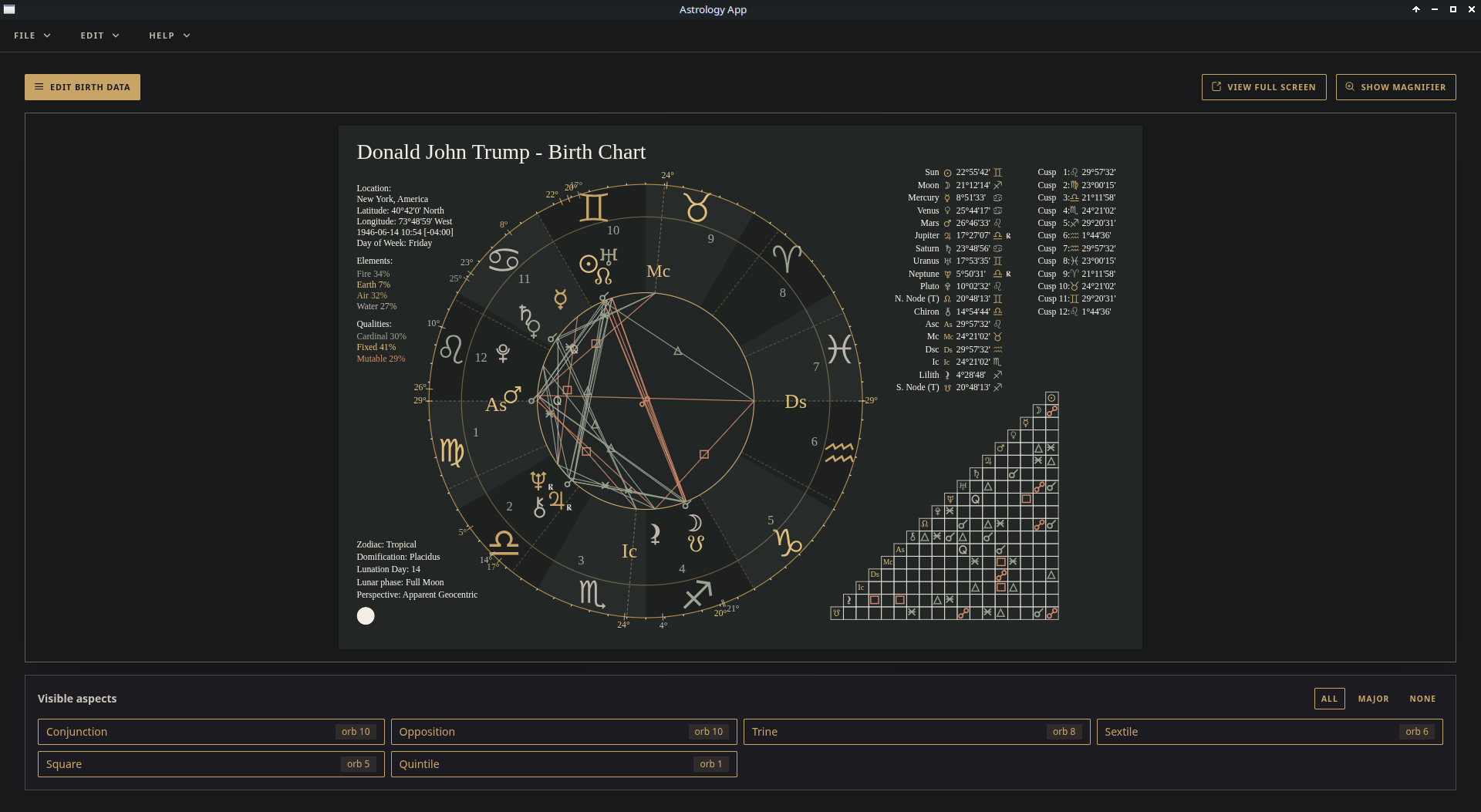
An Astrological birth chart
renderer.
A 99% offline desktop app to create astrological birth charts. Download it for Debian or Windows.
Version 0.0.2 MIT
Software Features
Software Features
- 99% Offline — Once a location ephemeris file is downloaded the app works purely offline. No annoying updating or changes every time you open the app.
- Focus and Simplicity — Uncluttered and clean user interface so you can observe and interpret without distractions.
- Your data, your software — Save charts in an open standards format and return to them over time. Your data stays private, personal, and yours. Print clean and clear charts for further reflection.
Download
Get the desktop app
Debian Linux
- Download the Debian package file.
- Open it with your software installer, or run:
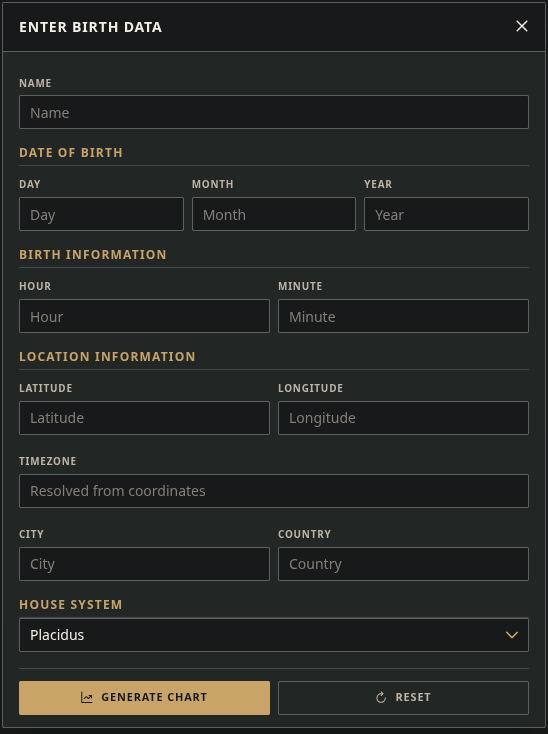
sudo apt install ./simple-astrology_*.debin the terminal. - Open Simple Astrology from your apps menu and enter birth data to explore.
Checksum
c746599c52aaf64025cb21e9fc461f6ac499f73e9acba5beca814bd67eb8b280
Windows
- Download the installer.
- Run it and follow the prompts. Allow the app if Windows asks.
- Open Simple Astrology from the Start menu and enter birth data to explore.
Checksum
fd3eb71d206911223cb152ba4d39fe5358c1caadb5e732c05b3db7c8a54f4f1b
Thank you
Your download is starting.
If you find Simple Astrology helpful please consider a donation. Thank You!
open source and free
Support & Development
I wrote this software initially because I could not find a compiled, binary application to render a birth chart for my Debian Linux based desktop computer. I have web framework software development experience and decided to create the application using some of these frameworks.
I am a father, an electrician and a freelance sole trader software engineer. Simple Astrology has no ads, no account wall, and no locked chart. If the app helps you to interpret your stars, an optional donation helps me keep building, maintaining and upgrading it.
If you are a developer or just interested, the source code is available on GitHub. GitHub
Documentation is available at the Simple Astrology app wiki. Docs
If you have found a bug, please report an issue on the app GitHub page. Issues
Questions?
Frequently asked questions
Click to open
Is it free? Yes. You can download and use the app for free. Donations are optional.
Do I need an account? No. Your chart work stays on your local computer.
How do I verify the downloaded file? Compare the sha256 checksum on this page with the checksum of your downloaded file. Checksum howto
Where can I find documentation? Documentation wiki
What operating systems are supported? Simple Astrology is available for Debian (v13) based Linux and Windows 11.
Who builds this? Me, Christopher Robert Nuss, a lone software engineer and my trusty sidekick, Grok Build.
How do I provide feedback? You can contact me using the Contact link in the header and footer of this site or report issues on the GitHub repository. GitHub issues